
Getting started with Avvance
Setup as easy as 1, 2, 3

1. Register
Verify your account principal and business details to create a unique user login.

2. Invite your team
Log in and invite your team to access and manage Avvance loan options.

3. Send invoices
Send payment requests to customers who are ready to make a purchase.
Avvance Merchant Portal - Manage Avvance, all in one place
The Avvance Merchant Portal is your one-stop-shop to finding success with point-of-sale lending.
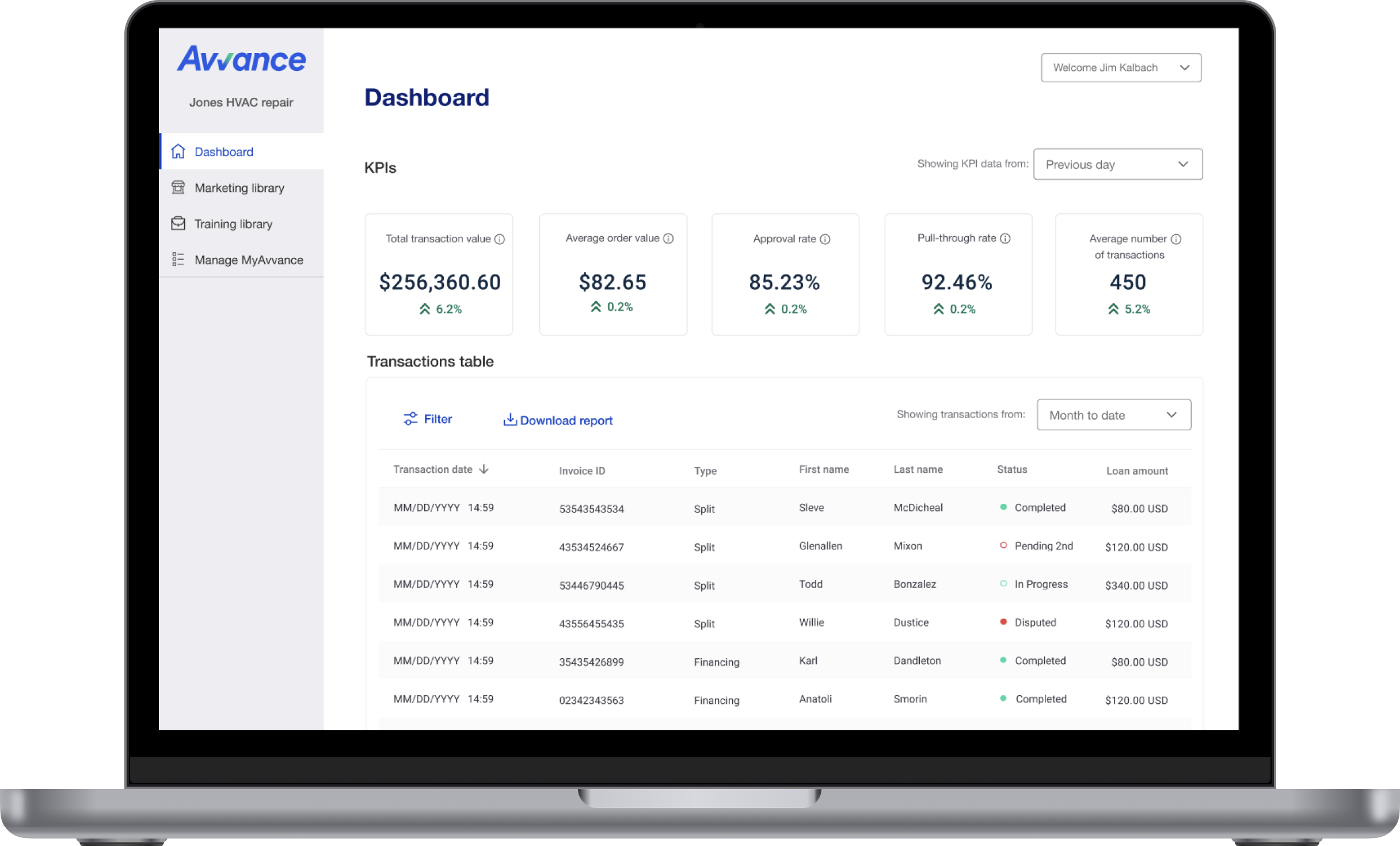
User management:
One login for each user. Invite your team to access and manage Avvance. Assign roles and set permissions to ensure they have the most relevant information.
Pre-approval:
Put your unique pre-approval link in front of your customers to see if they're eligible for financing before they make their purchase.
Invoice tracking:
Send invoices to customers who are ready to make a purchase. Use your dashboard to track their status and guide your next steps.
Marketing and Training:
Utilize training tools and marketing assets to educate your employees and customers about U.S. Bank Avvance installment loans.
Register your business for access to the Avvance Merchant Portal
Verify your business details to create a unique login, and gain unlimited access to Avvance tools and dashboards.


Invite your team
Add users, assign roles, and set permissions for access to the most relevant information.


Send an invoice or payment request

Send invoices to invite your customers to apply for financing with U.S. Bank Avvance. Watch their progress on your dashboard with intuitive statuses to inform next steps.
Still need help getting started with Avvance?
Contact customer support
Not enrolled in Avvance yet?